Japanese version is available here:
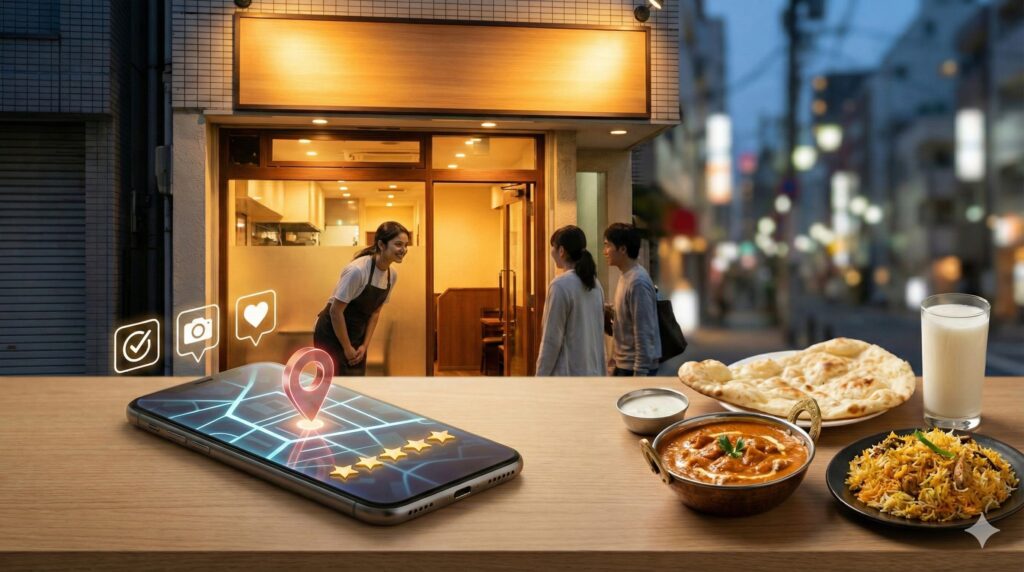
“I’m interested, but I feel a little nervous about trying a new place for the first time…” — this is a natural feeling many Japanese customers have when entering a new restaurant.
Especially for Indian and South Asian restaurants, even if the food is amazing,
a lack of information alone can lead to missed opportunities.
In this article, we summarize a fact-based operating approach to help people “find you” and “feel safe to visit,” using Google Maps (including local results on Google Search).
Google Maps basics: Local ranking depends on Relevance, Distance, and Prominence
Key point of this section
Local search results are mainly determined by Relevance, Distance, and Prominence.
Your top priority is complete and accurate information.
In Google local search (for example: “Indian restaurant near me” or “Kasai Indian curry”), results are mainly shaped by
Relevance, Distance, and Prominence.
Google also clearly states that it does not accept payments to improve rankings.
Mini glossary (for beginners)
- Relevance: How well your business information matches the search (category, description, menu information, etc.).
- Distance: How far your restaurant is from the searcher.
- Prominence: How well-known your business is. Review count/ratings and online mentions can be factors.
(Source:
Google Business Profile Help: Tips to improve your local ranking on Google
)
Build the foundation: Correct information (within guidelines) is the strongest SEO
Key point of this section
Keep your business name, address, and category aligned with reality.
If you go outside the guidelines, it may affect visibility or the ability to edit information.
The most important part of local marketing is not flashy tricks, but
accurate, up-to-date, easy-to-understand information.
Google’s guidelines describe using the name consistently recognized in the real world (such as your storefront sign), keeping address/service areas accurate,
selecting a minimal set of categories, and maintaining one profile per business.
- ■
Business name: Use the same wording as your sign or in-store display (avoid adding too many keywords). - ■
Address / phone / hours: Keep them current. Update “special hours” for holidays and year-end/New Year periods. - ■
Category: Choose a small number that best represents your core business (something that clearly communicates what you are). - ■
Owner verification: This may be required for displaying/editing information and replying to reviews.
(Source:
Google Business Profile Help: Guidelines for representing your business on Google
/
Google Business Profile Help: Edit your Business Profile
)
Remove “entering anxiety” with photos: Exterior / interior / food—start with at least 3 each
Key point of this section
Google provides a minimum suggested number by photo category.
For Indian restaurants, it’s fastest to prepare exterior, interior, and food/drinks first.
Whether Japanese customers feel “safe to enter” is largely influenced by photos.
(This is a practical operating sense, not a guaranteed numeric result.)
Google recommends adding “at least 3 photos” for business-specific photo categories such as exterior, interior, and food/drinks.
| Photo category | Minimum number (as stated by Google) | How to shoot for an Indian restaurant (examples) |
|---|---|---|
| Exterior | At least 3 | Day/night, left/right angles, entrance clearly visible |
| Interior | At least 3 | Overall seating, table spacing, cleanliness |
| Food / drinks | At least 3 | Signature dishes, set menus, curry texture that conveys spice |
Google also provides guidance about photo quality, including recommended resolution (for example, 720×720),
avoiding excessive edits/filters/AI use, and showing the atmosphere as it really is.
In other words, rather than “enhancing” with AI, it is stronger to
honestly show real reassurance (cleanliness, entrance, seating).
(Source:
Google Business Profile Help: Tips for business-specific photos
)
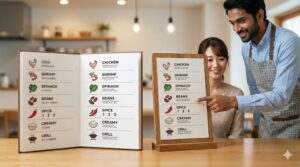
Reduce “ordering anxiety” by improving the menu: Prepare menu photos/PDF and a menu URL
Key point of this section
You can upload a menu as photos or PDF, and also set a menu URL.
When customers can see “what costs how much,” the first-visit barrier becomes lower.
Common pre-visit concerns for Indian restaurants are surprisingly simple:
“What do you have?”, “How spicy is it?”, “How much is it?”.
On Google Business Profile, you can upload menu photos or PDFs and also add a menu link (URL).
- ■
Menu photos/PDF: Customers can also upload photos, so owners should keep an up-to-date and correct version ready. - ■
Menu URL: Link to your website menu page (or LP) to provide more detailed explanations.
Google also introduces a feature to generate detailed menus using AI from menu photos/PDF
(pilot/experimental; requires additional terms agreement).
If you use such features, please always check that the content is accurate in the end.
(Source:
Google Business Profile Help: About the menu editor
)
Reviews are “proof of reassurance”: The right way to increase them, and polite reply templates
Key point of this section
Reviews can be a factor related to prominence, and you can grow them through operations.
However, providing incentives such as discounts is prohibited.
In the explanation of “prominence,” Google indicates that information such as review counts can be a factor.
That’s why reviews can grow steadily as long as you follow the rules.
Absolute rule for increasing reviews (no incentives)
Google states that reviews must be based on real experiences, and it prohibits offering incentives (such as discounts) in exchange for reviews.
Instead, it suggests creating an easy path, such as using a business link or QR code.
Replies should be “polite and short” (a safe, respectful style)
Replying to reviews is public and may require owner verification. A courteous and positive reply helps people feel you care about customers.
Here are safe templates that are unlikely to be rude regardless of cultural background (please adjust to your restaurant).
Reply template (positive review)
Thank you very much for visiting us and for your feedback.
We are happy to hear you enjoyed the food.
We look forward to welcoming you again.
Reply template (critical review)
Thank you for your valuable feedback. We apologize for the inconvenience caused.
We will share your comments with our staff and work to improve.
If possible, we would like to confirm the details—please contact us at the store or by phone.
If a review violates Google’s policies, it can be reported for removal.
However, Google also cautions that only policy-violating reviews are removed, and you should not report reviews simply because you dislike the content.
(Source:
Tips to improve local ranking
/
Tips to get more reviews
/
Manage customer reviews
/
Report inappropriate reviews)
Use “Posts” to share the latest information: Great for hours, limited menus, and events
Key point of this section
Posts can share the latest updates directly on Google Search and Google Maps.
This is effective for creating a reason to visit “now.”
Google explains that posts allow you to share announcements, offers, updates, and event details directly on Search and Maps.
Indian restaurants often have many strong post topics: seasonal specials, spice fairs, lunch sets, seat availability, and more.
Post topic examples (polite, respectful wording)
- Limited menu: Keep it short and factual (“Today’s special,” “Limited quantity”).
- Spice guidance: Add reassurance (“Spice can be adjusted (0–3 levels)”).
- Business info: Announce special hours or temporary closures early.
- For first-time guests: “Recommended first-visit set” to make choosing easy.
(Source:
Create and manage posts on your Business Profile
)
Strengthen search visibility with “Attributes”: Clarify reasons to choose you (Wi-Fi, payments, etc.)
Key point of this section
Attributes communicate details such as facilities and payment methods.
Google explains they may affect visibility when people search for places with certain attributes.
Attributes are items that describe features such as “Wi-Fi available,” “cash only,” or “terrace seating.”
Google explains that adding attributes may help your business appear when people search for places with those attributes.
Note that editable attributes can vary by category and region.
(Source:
Manage business attributes
)
Consistency wins: A “Google Maps operation checklist” you can run in 30 minutes per week
Key point of this section
Local marketing is not about a one-time push — it’s about continuity.
If you turn “updates, photos, posts, and review replies” into a routine, it becomes strong.
You don’t need to do special tasks every day. What matters is keeping information up to date.
Google lists “complete and accurate business information,” updating hours, replying to reviews, and adding photos/videos as ranking improvement tips.
| Weekly task | Time | What to do |
|---|---|---|
| Info check | 5 minutes | Confirm hours, special hours, phone, and address |
| Add photos | 10 minutes | 1–2 food photos + 1 interior photo (natural is fine) |
| Posts | 10 minutes | One post about limited menus / seats / events / updates |
| Review responses | 5 minutes | Reply to new reviews (no incentives) |
(Source:
Tips to improve local ranking
)
Save time with ChatGPT / Gemini: How to create posts, menu descriptions, and bilingual drafts
Key point of this section
AI is helpful for writing drafts, but final checking is essential.
The key is adjusting wording so it does not create misunderstandings.
Busy restaurants often get stuck at “We want to update, but we can’t write the text.”
At the N, we recommend using Gemini and ChatGPT to quickly create a draft for posts and menu descriptions
(your restaurant should always confirm facts and prices in the end).
AI instruction prompt you can copy/paste (example)
[Goal] I want to write a Google Business Profile post.
[Conditions] Polite Japanese. No exaggeration. Include short, reassuring info for first-time guests (spice/price range/payment/seating).
[Materials] Restaurant name: ___ / Today’s special: ___ / Price: ___ yen / Spice level: 0–3 / Hours: ___–___
[Output] Provide 3 post drafts (120–180 Japanese characters). End with “We look forward to your visit.”
Google also states that you should avoid excessive edits/filters/AI use in photos.
For Google Maps photos, it is safer to use real photos as the main approach,
and use AI behind the scenes for writing drafts.
(Source:
Tips for business-specific photos
)
Frequently asked questions (FAQ)
Q.
Is it okay to add keywords like “Edogawa Indian curry” to the business name?
A.
The guidelines recommend using a brand name that is consistently used and recognized in the real world (such as the wording on your sign).
It is safer to first align your name with the signboard wording.
(Source:
Guidelines for representing your business on Google
/
Edit your Business Profile)
Q.
Is it okay to offer a discount if someone posts a review?
A.
Google prohibits offering incentives (such as discounts) in exchange for reviews.
Instead, it suggests creating an easy flow with a review link or QR code.
(Source:
Tips to get more reviews)
Q.
I want to reply to reviews or post photos, but the features don’t appear.
A.
Some features require owner verification. First, confirm your Business Profile owner verification status and login state.
(Source:
Edit your Business Profile
/
Tips for photos (owner verification mention)
/
Manage customer reviews)
Summary: The key to Google Maps marketing is Accurate info × Photos × Consistent operations
Google Maps marketing is won by a correct foundation and operations you can continue, not by hacks.
Especially for Indian and South Asian restaurants, improving photos and the menu can quickly change perception into “a place I can enter with confidence.”
- ■
Start with guideline-compliant business name, address, and categories - ■
Prepare at least 3 photos each for exterior, interior, and food - ■
Reduce anxiety with menu (photos/PDF/URL) and review replies - ■
Keep it going with a 30-minute weekly routine (posts, photos, reviews)
Communication note
I am not a fluent English speaker, and English is not my strong skill.
For meetings or detailed discussions in English, we will mainly use translation tools (including AI-based translation).
Because of this, there may be cases where communication is not conveyed 100% perfectly.
However, I will always take time to confirm details carefully, ask follow-up questions when needed,
and make sure we reach a shared understanding before proceeding.
Please feel free to use simple English.
Not monthly payments — start from a one-time plan of “¥50,000+”.
the N can support restaurants in Edogawa by improving “Photos × Google Maps (Business Profile) × Website flow” together.
Would you like to build a “discoverable” presence as quickly as possible?
Example: photo shoot (store & food) + Google Business Profile setup + LP/menu flow (if needed)
If you prefer to check the plan first:
Small-Start plan details
Or feel free to contact us via
Instagram DM (@the.n.sns).